Readabler for your browser

Your accessibility settings, on every website.

An accessibility toolbar that travels with you. Adjust fonts, colours, contrast and reading aids on any website you visit — from one panel in your toolbar.

Add to Chrome See pricing
one click, that's it

Works in Chrome, Edge, Brave, Opera and other Chromium browsers · open with Alt + A

What Readabler does

One panel, everywhere

Open it on any site. Adjust. Done — it follows you.
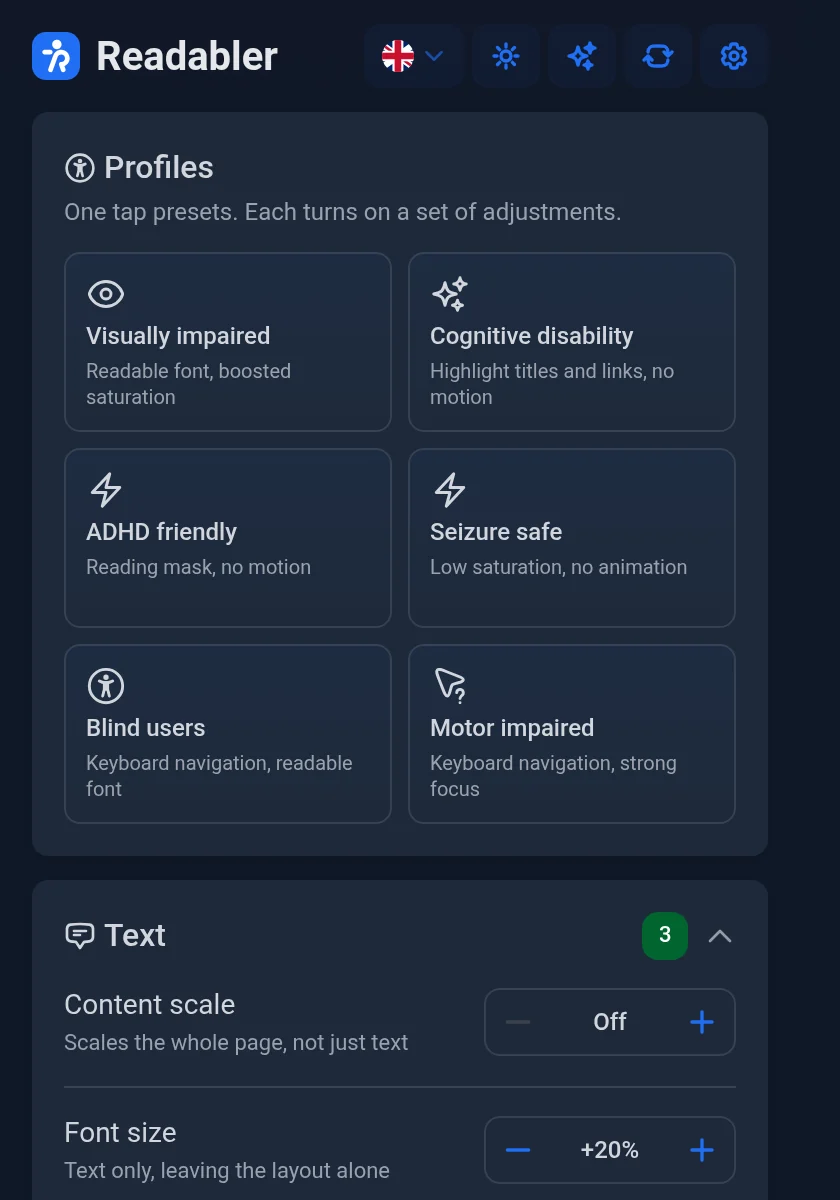
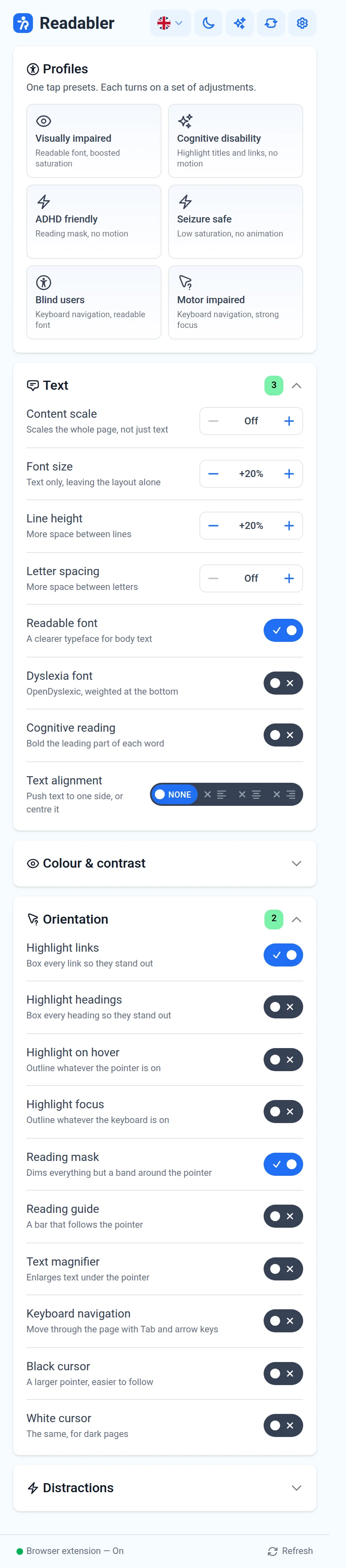
The Readabler extension panel
Text

Type, scaled to you

Font size, line height, letter spacing, dyslexia-friendly and readable fonts.

AaAaAa
Dark mode

Day & night

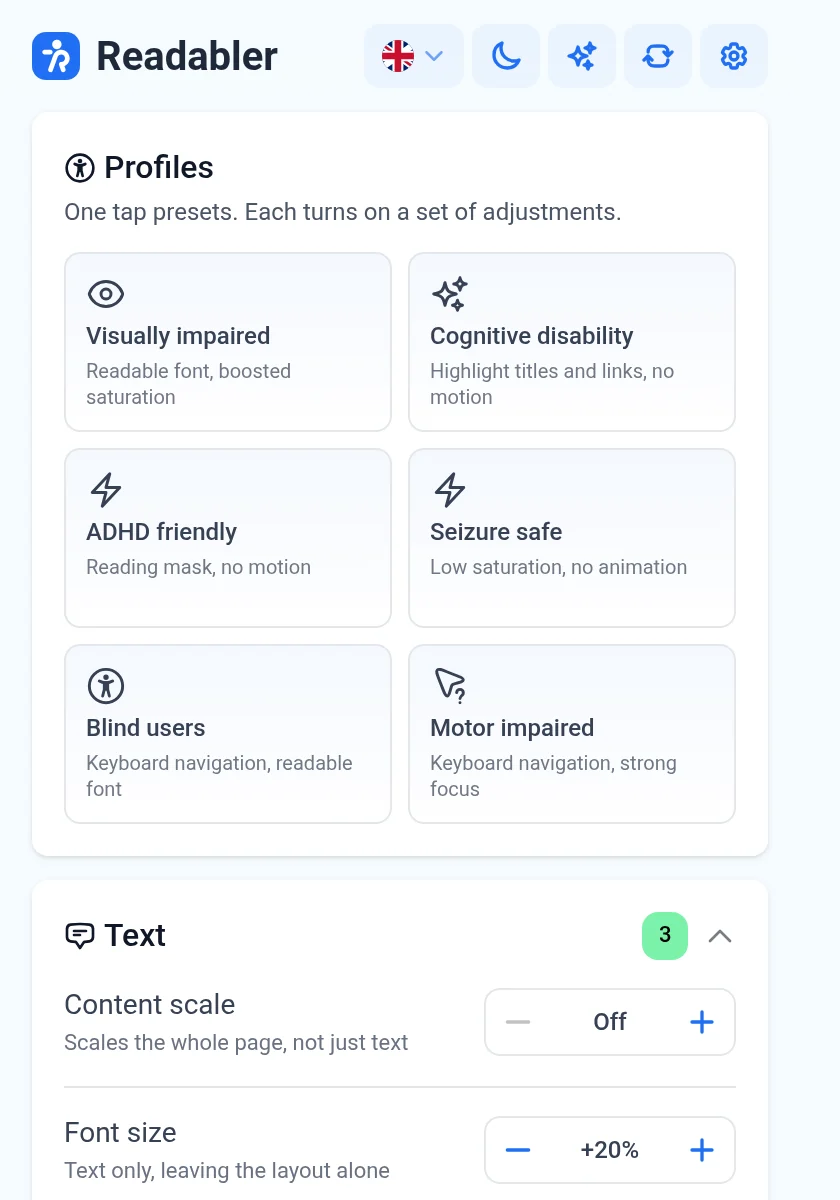
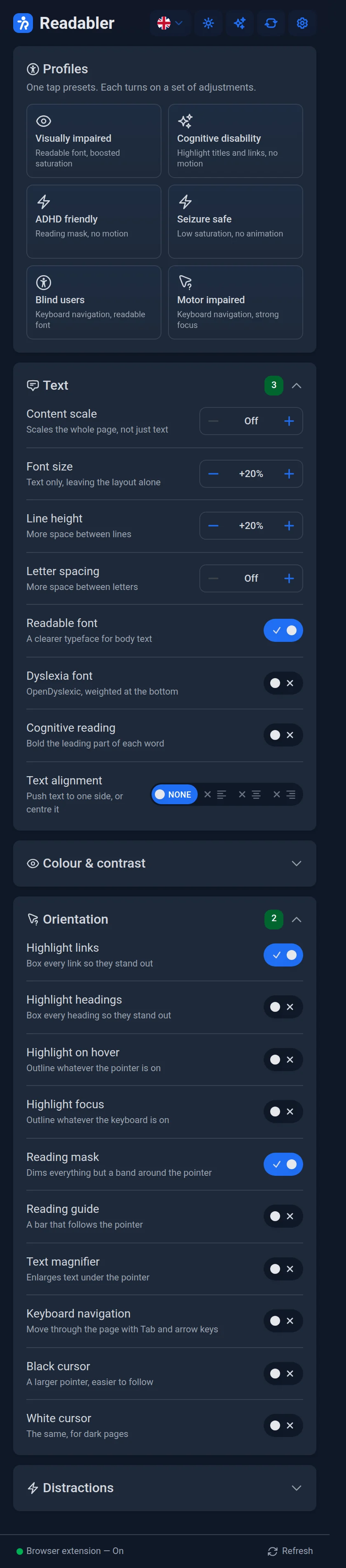
The panel keeps your theme.

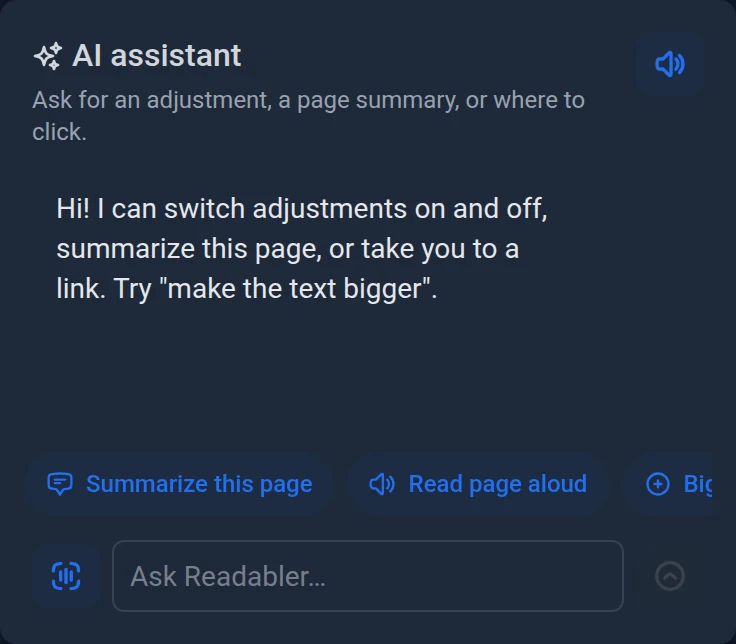
The Readabler panel following your theme
Focus

Reading mask

Dims everything but a band around the pointer.

Calm

Stop animations

Freeze motion, hide images and emoji, mute sounds.

Precision

Big cursors

Large cursors and a text magnifier for motor and vision needs.

🖱
6

one-tap profiles, from seizure-safe to screen-reader-ready

AI assistant

Ask the page anything

Chat, voice and page summaries — the assistant can flip any switch for you.

Languages

Speaks yours

16 panel languages, right-to-left included.

EnglishGermanFrenchSpanishJapaneseUkrainianHebrew+9
Shortcut

One keystroke

Open the panel on any page.

Alt+A
Colours

Your palette

Override text, heading and background colours.

OpenDyslexic

Dyslexia font

Weighted at the bottom, easier to track. The real typeface, bundled in.

Aa Bb
Sync

Everywhere, or only this site

Your settings follow you, with per-site overrides when a site needs something different. Signed in once — the extension keeps checking your account for you.
Readabler in numbers

0B+people worldwide live with vision impairment
0+adjustments across text, colour, orientation and distraction control
0panel languages, right-to-left included
websites — your adjustments work on any site you visit
How it works

Three steps, then it's yours

about a minute, start to finish

Add it to your browser

Install the Readabler extension from the Chrome Web Store.

Stay signed in

The extension checks your Readabler account for your subscription. Signing in once is enough.

Open the panel on any page

Click the Readabler icon in your toolbar, or press Alt + A, and adjust the page.

The whole panel

Every control, exactly as it ships

every switch included — one plan, no add-ons

The complete Readabler extension panel, fully expanded: profiles, Text, Colour and contrast, Orientation and Distractions groups
👤
Accessibility profilesOne tap for dyslexia, ADHD, low vision, seizure safety and more. Each expands into a full set of adjustments.
🔤
Readable textFont size, line height, letter spacing, dyslexia-friendly and readable fonts, cognitive reading, alignment.
🎨
Colour and contrastDark, light, high contrast, monochrome, and your own text, heading and background colours.
🧭
Reading aidsReading mask and guide, link and heading highlighting, large cursors, text magnifier, keyboard navigation.
🔕
Fewer distractionsStop animations, hide images and emoji, mute sounds.
🌍
Every site you visitYour settings follow you, with per-site overrides when a site needs something different.
AI assistant built inChat, voice and page summaries, with an allowance that resets every billing period.
Readabler AI

Ask the page anything

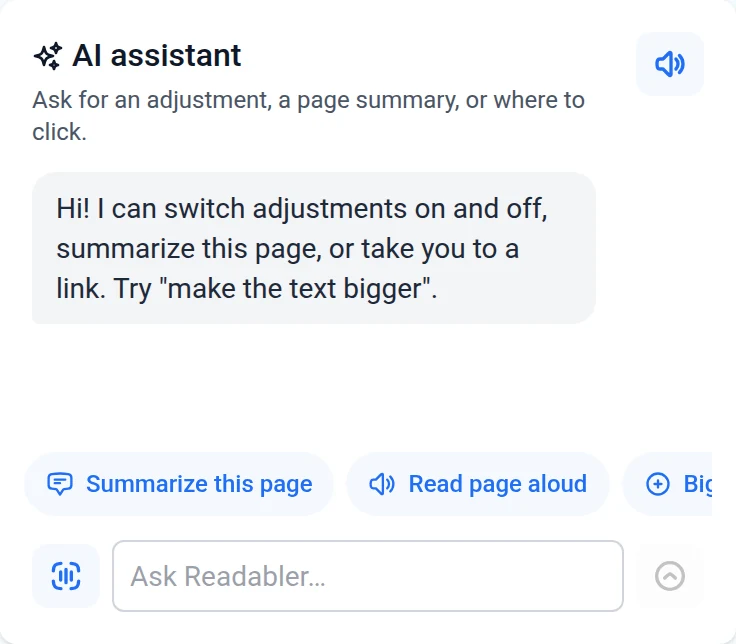
The assistant lives in the same panel. Ask in your own words and it flips the very same switches you would — no menus to learn.

  • 💬
    Ask for an adjustment“Make the text bigger” turns on the real control, and the switch moves with it.
  • 📄
    Summarise this pageThe gist of a long article, without reading all of it first.
  • 🔊
    Read the page aloudVoiced replies you can pause and resume, or mute entirely.
  • 🎙
    Speak your questionTap the mic, say it out loud — the assistant transcribes and answers.
  • 🔗
    “Take me to…”Ask where to click and it opens the link for you.
Summarize this pageRead page aloud Bigger textDark contrast Dyslexia fontReading mask Highlight linksStop animations
The Readabler AI assistant panel, with quick actions and a question box
Compliance

Supported regulations

Every adjustment in Readabler is built on the guidelines behind the world's accessibility regulations.

WCAG
WCAG 2.0 / 2.1 / 2.2 International

Web Content Accessibility Guidelines — the W3C standard the Readabler engine is built around.

ADA
ADA United States

Americans with Disabilities Act — the benchmark for accessible digital experiences in the US.

§508
Section 508 United States

The Rehabilitation Act's requirements for federal agencies and their digital services.

EN 301 549
EN 301 549 European Union

Accessibility requirements for ICT products and services across the EU.

Feedback

Trusted by thousands of sites

The engine the extension runs on has been in the wild for years as the Readabler WordPress plugin — these are its buyers.

4.76 ★★★★★★★★★★
83 ratings · 4,933 sales
on CodeCanyon

Excellent Customer support and really great value for money!

JjcooteCustomer support

a very good plugin, I haven't found a better one

WwustrauCode quality

The plugin works out of the box! On a multilingual site translated with WPML.

KKizoTuxFlexibility

Very easy to use and got all the functions I need.

MMarlon1337Feature availability

I am truly grateful for the WONDERFUL support!

YYourPalTazCustomer support

Great accessibility plugin. Recomended.

AAdvantage09Feature availability
Pricing

Choose a billing cycle

Subscribe to use the browser extension. This is separate from your website plan.

best value
1 day free
Browser extension
$19/month
Billed every month
  • Every adjustment, on any website you visit
  • All six accessibility profiles
  • AI assistant: chat, voice and page summaries
  • Per-site overrides and account sync
  • Works in Chrome, Edge, Brave and Opera
Start free trial

1 day free, then $19/month. Cancel any time before the trial ends and you will not be charged.

Own a website?

The browser extension is billed separately from your website plan. Buying one does not include the other.

Website plans — with the Readabler widget, site audits and AI features — start free at ai.readabler.com.

Payment may be subject to applicable local taxes. Checkout is handled securely by Paddle. Terms apply.
FAQ

Questions, answered

Which browsers does the extension support? +
Readabler installs from the Chrome Web Store and works in Chrome, Edge, Brave, Opera and other Chromium-based browsers.
Is the extension included in my website plan? +
No — the browser extension is billed separately from your website plan, and buying one does not include the other. The website plan puts the Readabler widget on your site for your visitors; the extension applies the same adjustments to every site you personally visit.
Do my settings apply to every website? +
Yes, by default your profile applies everywhere. Any site can be switched to “Only this site”, and from then on it keeps its own copy of the settings without affecting the rest of your browsing.
Does the extension track my browsing? +
No. The adjustment engine ships inside the extension and runs locally on the page. The only network requests go to your Readabler account — to confirm your subscription and, if you use them, to power the AI assistant features. See the Privacy Policy for details.
Is there a free trial? +
Yes — your first day is free, and the extension is fully unlocked during the trial. Cancel any time before the trial ends and you will not be charged.
How do I cancel? +
From your account's extension page, in one click. The extension keeps working until the end of the period you have paid for, then simply stops applying your adjustments.
Which languages does the panel speak? +
The panel itself is available in 16 languages, including right-to-left ones, and picks up your account's language automatically. The AI assistant understands considerably more.

Make the web readable.

1 day free — connects to your Readabler account.

Add Readabler to Chrome